Blog
Building Example Validation CI/CD for Ianvs
How we designed layered checks, regression reports, and clearer CI feedback for examples in the Ianvs open-source project.
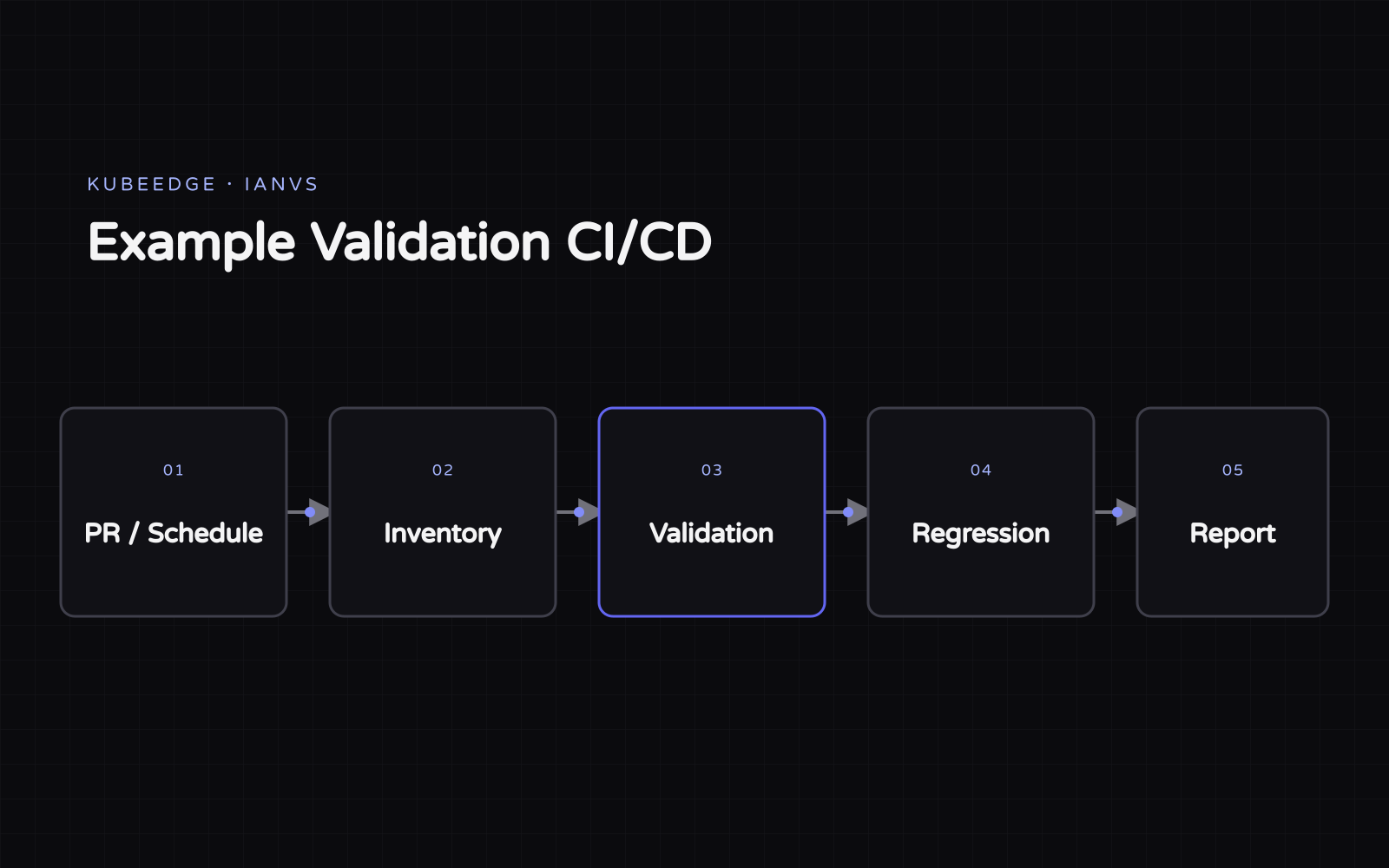
Through the LFX Mentorship program, I had the opportunity to join the Ianvs open-source community and build automated validation for project examples. What started as a CI task quickly became a broader lesson in engineering trade-offs, communication, and collaboration.
This post explains how we approached the technical design and what I learned from working through it with the community.
Start with the problem, not the workflow
Contributors and maintainers often had to test examples by hand. Changes to the core project, dependencies, or external resources could break a working example, and the problem might go unnoticed for some time.
My first idea was to run every example in GitHub Actions. That sounded straightforward, but many examples depend on large models, datasets, GPUs, API tokens, or external services. Running everything on every pull request would have made CI slow, expensive, and unreliable.
Instead, we split validation into stages. Fast, inexpensive checks run first, while runtime tests are used only when the environment and cost make sense:
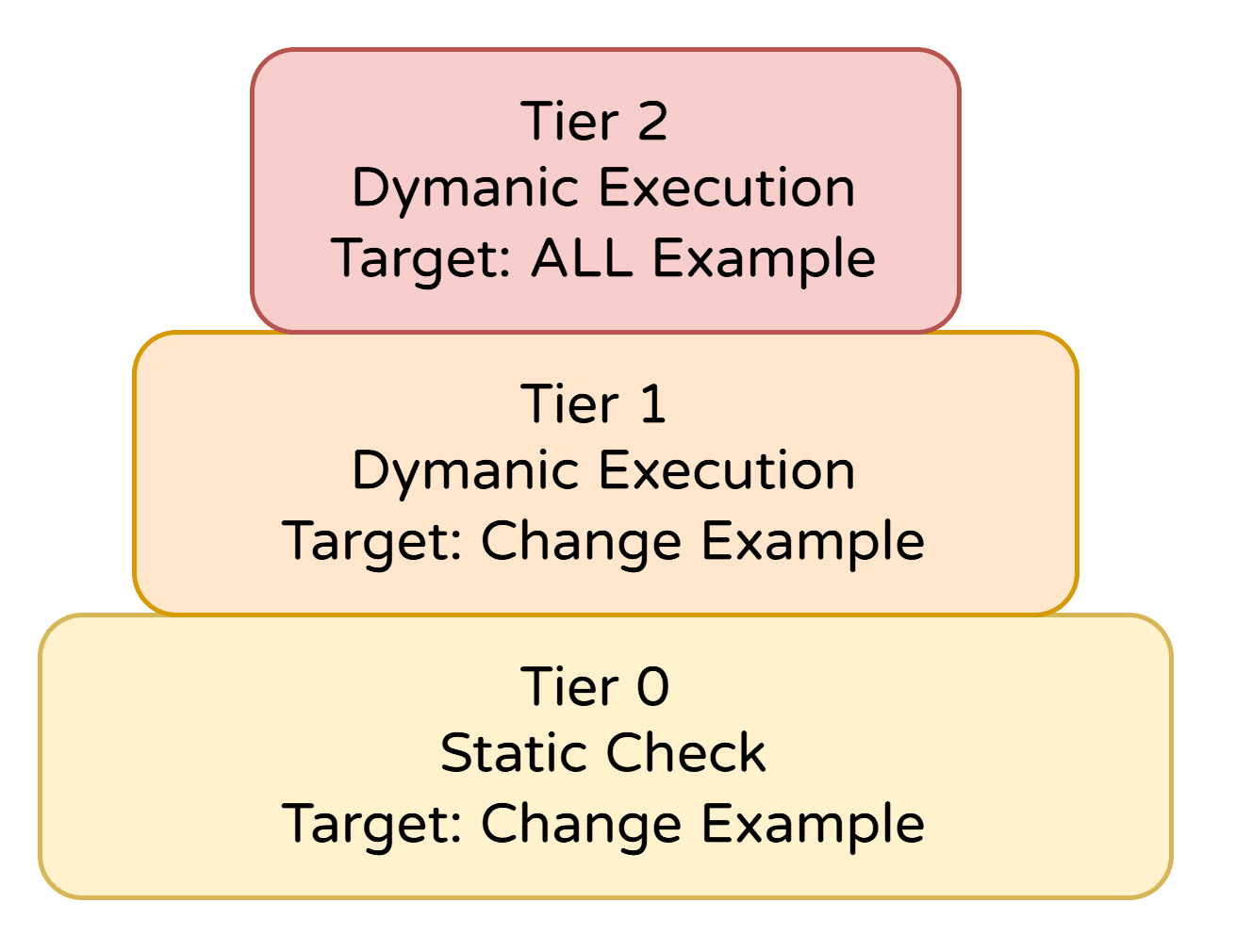
This approach gives us useful feedback quickly without treating every example as if it had the same requirements.
A practical cost model
We can describe the trade-off as a simple optimization problem. If is the cost of a check and is the amount of risk it covers, we want to choose a useful set of checks without exceeding the CI budget :
The model is intentionally simple, but the point is practical: running more tests is not always better if the result is too slow or unreliable to use.
Focus CI on regressions
In a long-running open-source project, some examples may already be broken because an environment or external dependency changed. If CI only reports a long list of failures, contributors cannot tell which problems were caused by their pull request.
To solve this, we compare the base branch with the pull-request branch. The regression summary separates new failures from existing ones and also highlights problems fixed by the pull request.
| Result | Meaning | Action |
|---|---|---|
| New failure | Introduced by this change | Investigate before merging |
| Existing failure | Present on the base branch | Track separately |
| Fixed | Fails on base, passes on PR | Highlight the improvement |
The report includes the affected files, readable error messages, detailed results, and links to logs. A useful CI report should tell contributors what to check next, not just show a red cross.
def classify(base: bool, pull_request: bool) -> str:
    if base and not pull_request:
        return "new-failure"
    if not base and pull_request:
        return "fixed"
    return "unchanged"
Error messages are part of the user experience
I used to think of test reports as program output. This project reminded me that they are also an interface for the people using the system.
A short error code may be enough for someone who already knows the project. A first-time contributor needs more context: what failed, where it failed, and how to investigate it. Clearer messages reduce the time contributors and maintainers spend going back and forth.
The checks are written for machines, but the results are read by people.
Keep code and documentation aligned
We separated triggers, validators, and shared utilities so that workflow files and validation logic each had a clear place. The structure also uses the same terms as the architecture diagrams and documentation, making it easier for new contributors to find their way through the project.
The demo and usage guide were equally important because they let maintainers review the system from a contributor’s point of view.
Understand the reason behind feedback
Some feedback from our weekly meetings looked minor: rename a component, add one sentence to a report, simplify a diagram, or move a folder. At first, I treated each comment as another task to finish. Later, I realized that most of the feedback was asking the same question: will the next person understand and maintain this system?
Once I understood the reason behind each request, the design decisions became easier to make. I also became more comfortable asking questions instead of waiting for someone else to provide the answer.
Plan for failures outside your control
Model and dataset downloads, caching, CI runners, and external services can all affect the result. Some failures have nothing to do with the code in a pull request.
We cannot eliminate every external failure, but we can make the source of a problem easier to identify. Layered checks isolate the parts we control, regression comparison shows what changed, and logs and artifacts provide evidence for further investigation. Known limitations should be documented instead of hidden.
Ship a useful first version
Open-source projects rarely have perfect conditions. Services fail, specifications change, and requirements evolve through community discussion.
I learned to separate “not finished” from “not useful.” Once the system provides reliable feedback, it is worth shipping and improving based on real use. A clear first version that contributors can try is more valuable than a perfect design that never leaves the planning stage.
What I learned
The project delivered more than automated checks. Contributors can see how their pull requests affect existing examples, while maintainers can focus on failures introduced by the latest changes.
I learned how to design layered validation, compare results across branches, and write clearer CI reports. More importantly, I learned that good engineering also depends on communication, shared understanding, and making the system easier for the next person to maintain.
Explore the project, its examples, and ongoing development in the Ianvs GitHub repository.